New SSMS Features: Click + Drag and Click + Mouse Scroll
The best features are the ones that you use all the time. SQL Server 2016 Management Studio’s bringing improvements in navigating around execution plans.
I gave a day long session, “SQL Server Index Formulas, Problems and Solutions” in Huntington Beach, CA on April 1. The class was a great group of students, and we had a lively discussion and lots of questions.
Here’s a topic we diagrammed in class, as well as links to extra resources.
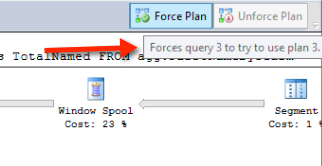
SQL Server 2016’s Query Store feature promises to be better than Plan Guides ever were. The Query Store lets you track query performance, collect execution plans, and force a specific plan if you notice that a query is sometimes fast, and sometimes slow.
You’re just getting started as a SQL Server Database Administrator – or you’re trying to get there.
Here’s a learning plan and links to free articles and scripts that will equip you to tackle the three most critical skills to for DBAs.
Whenever you’ve got a new feature, one of the first things to ask is, “What happens when I break it?”
Because we’re going to break stuff.
When you need to measure how long a query takes and how many resources it uses, STATISTICS TIME and STATISTICS IO are great tools for interactive testing in SQL Server. I use these settings constantly when tuning indexes and query.
SQL Server 2016 brought in a cool new little feature for table partitioning: you can now truncate individual partitions. There’s one little gotcha, though: you can only do this if all the indexes on the tables are “aligned”.
Copyright (c) 2025, Catalyze SQL, LLC; all rights reserved. Opinions expressed on this site are solely those of Kendra Little of Catalyze SQL, LLC. Content policy: Short excerpts of blog posts (3 sentences) may be republished, but longer excerpts and artwork cannot be shared without explicit permission.