Index Tuning Decision Tree for SQL Server
I recently mapped out my thought process for how I approach a new instance of SQL Server when it comes to index tuning.
For static databases, it’s quite useful to set SQL Server’s “read only” database property to true. When the database is read-only, it ensures that the last backup you took is still valid… as long as nothing bad happens to that backup file.
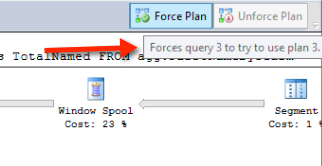
SQL Server 2016’s Query Store feature promises to be better than Plan Guides ever were. The Query Store lets you track query performance, collect execution plans, and force a specific plan if you notice that a query is sometimes fast, and sometimes slow.
Whenever you’ve got a new feature, one of the first things to ask is, “What happens when I break it?”
Because we’re going to break stuff.
SQL Server 2016’s new Query Store feature has an option that looks for “regressed” query plans.
But does it catch “bad” parameter sniffing?
SQL Server 2016’s new Query Store feature makes it easier than ever for DBAs and developers to identify the most important queries to tune– and perhaps apply a quick fix by pinning an execution plan.
Recompile hints have been tough to love in SQL Server for a long time. Sometimes it’s very tempting to use these hints to tell the optimizer to generate a fresh execution plan for a query, but there can be downsides.
Copyright (c) 2025, Catalyze SQL, LLC; all rights reserved. Opinions expressed on this site are solely those of Kendra Little of Catalyze SQL, LLC. Content policy: Short excerpts of blog posts (3 sentences) may be republished, but longer excerpts and artwork cannot be shared without explicit permission.